
The Authenticity Shift: How to Prompt for Imperfect Cinematic & Candid Film Aesthetics
The Authenticity Shift: How to Prompt for Imperfect Cinematic & Candid Film Aesthetics
In the early days of AI image generation, the goal was sheer perfection. Creators wanted high-gloss, ultra-sharp, plastic-perfect renders. But as AI imagery flooded the web, audiences quickly developed "synthetic fatigue." Highly polished skin, impossible neon lighting, and perfect symmetry became telltale signs of AI generation.
Today, the pendulum is swinging back. The authenticity shift is a movement towards raw, imperfect, and human-centric aesthetics. By exploring curated templates in our AI Prompts Gallery, we can see a clear shift: creators now want images that look like they were captured by a human photographer on analog film—complete with grain, lens flare, motion blur, and candid framing.
In this guide, we will break down the exact strategies to prompt for authentic analog film aesthetics and candid photography using modern engines and templates from our prompts directory.
1. Ditch the AI Buzzwords
The first rule of realistic prompting is to stop using generic words that signal artificial rendering. Phrases like "photorealistic," "hyperrealistic," "8K resolution," "extremely detailed," or "masterpiece" trigger the model to apply excessive digital sharpening and perfect lighting.
Instead, describe the medium and the physics of photography (you can find examples of this in our AI Prompts Gallery):
- Aesthetic cues: 35mm film photo, medium format slide, film scan, polaroid, candid shot, photojournalism.
- Imperfections: subtle film grain, lens flare, chromatic aberration, light leaks, motion blur.
2. Treat the Prompt Like a Camera Setup
Modern models understand photography terminology. By specifying your camera body, lens, and shooting parameters, you instruct the model to simulate real optics:
| Element | Generic Prompting | Production-Grade Prompting |
|---|---|---|
| Lens Focal Length | "Close up of face" | 85mm f/1.4 lens, shallow depth of field, sharp focus on eyes |
| Composition | "Centered picture" | Candid snapshot, rule of thirds, accidental framing, snapshot look |
| Film Stock | "Colorful" | Shot on Kodak Portra 400, warm color palette, slightly muted greens |
| Camera Model | "Real photo" | Taken with Leica M6, vintage analog camera feel |
3. Specify Natural & Imperfect Lighting
Synthetic AI images often feature impossible lighting setups where every shadow is perfectly filled. Authentic photography relies on natural and single-source lighting:
- Natural Light: Soft window light, dappled sunlight filtering through leaves, overcast sky lighting, direct midday sun with harsh shadows.
- Low-Light Situations: Neon street lights reflecting on wet pavement, low-key indoor lighting, single overhead bulb shadow.
- Time of Day: Golden hour (warm, long shadows), blue hour (cool, moody tones), dusk, dawn.
4. Prompting for Human Imperfection
To create realistic portraits, you must guide the AI to avoid the "perfect skin model" trap. Explicitly prompt for real human features:
- Skin Details: Real skin textures, subtle pores, natural freckles, fine lines, slight asymmetry.
- Expressions: Unposed, mid-conversation, looking away from camera, neutral expression, caught in a moment.
- Action: Adjusting glasses, walking down the street, sitting in a messy cafe, laughing genuinely.
Real-World Examples From Our Directory
Rather than starting from scratch, you can study and experiment with templates from our community gallery that employ these exact principles.
The Cinematic Night Frame
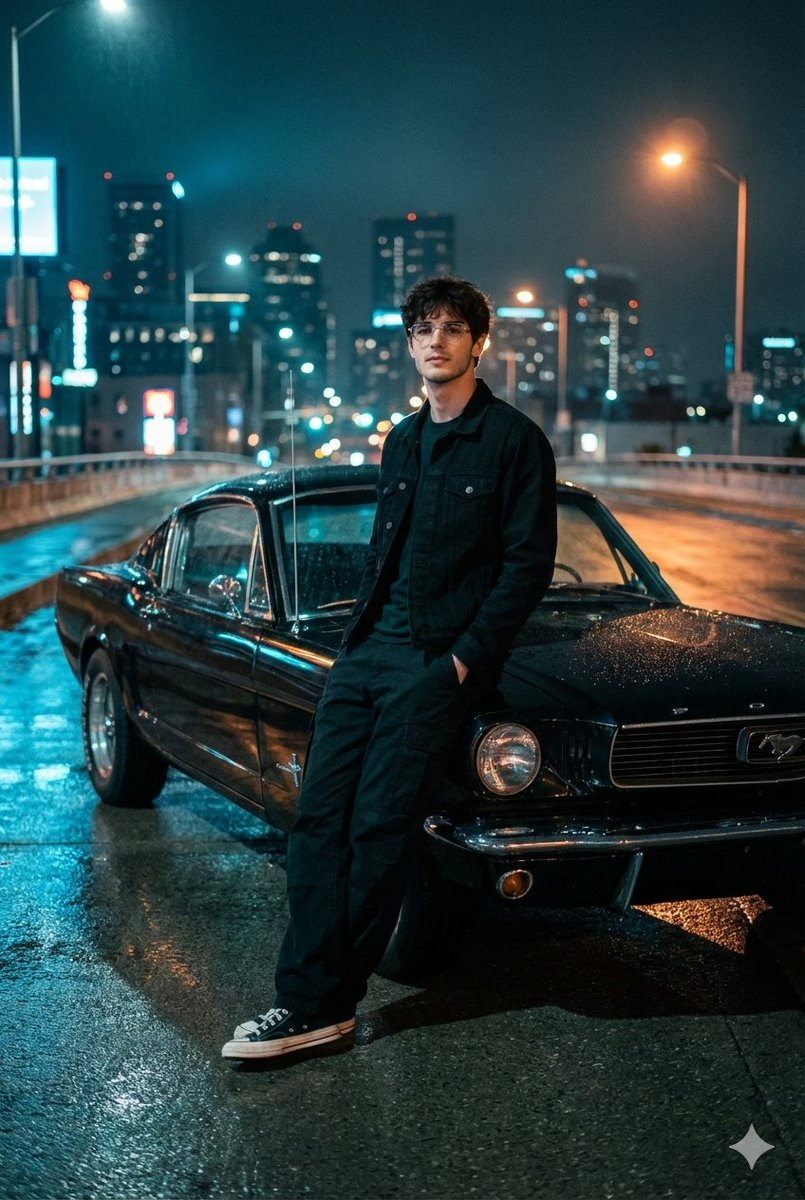
For high-contrast cinematic night scenes, combining wet asphalt reflections, classic cars, and moody color grading creates a compelling cinematic snapshot with a vintage film feel.
- Access the setup via the Cinematic Night Photo with 1960s Mustang template.
The Natural Sunset Film Look
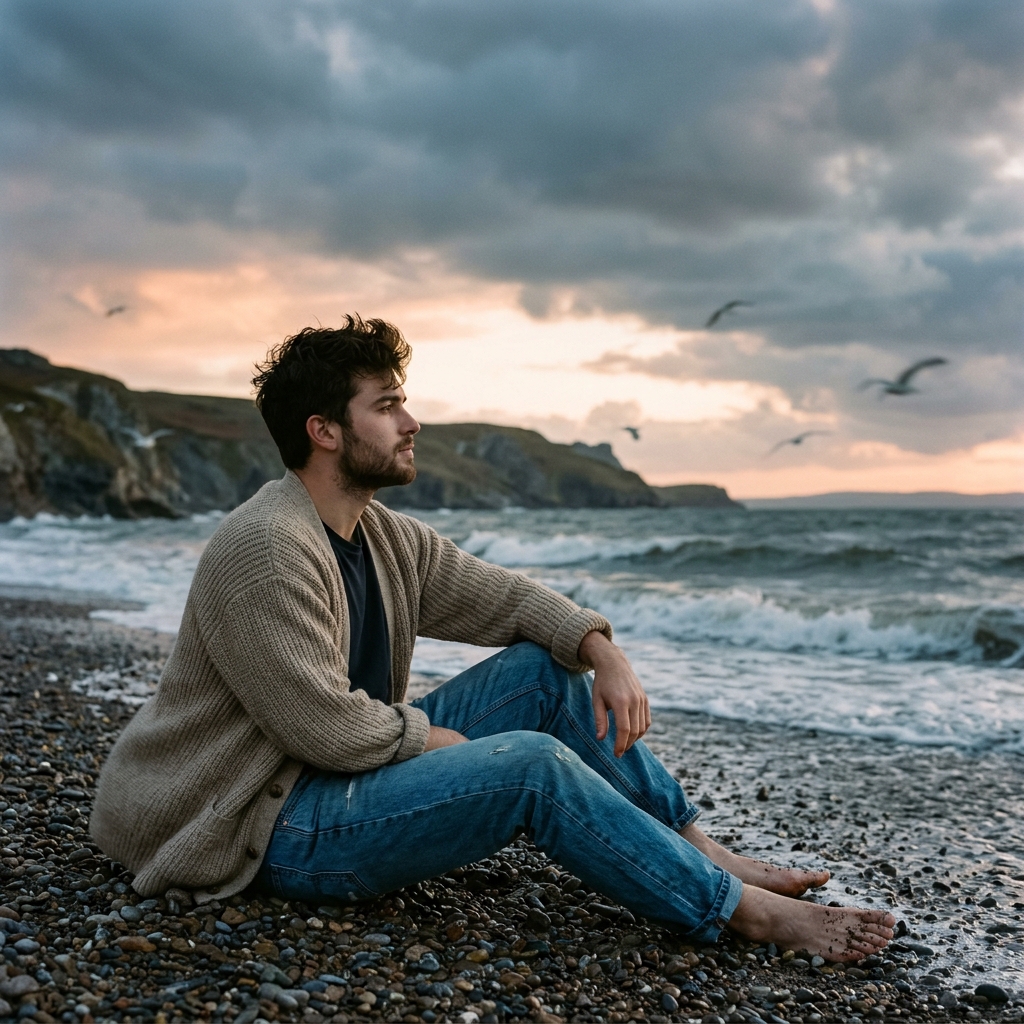
For outdoor environments, combining soft backlight with film-inspired color grading (reminiscent of Kodak Portra 400) creates realistic highlights and matte shadows.
- See the setup in the Cinematic Seaside Scene at Sunset template.
The Raw Indoor Flash Aesthetic
To capture the look of early-2000s documentary fashion, you can utilize direct, harsh flash lighting that casts realistic hard shadows against backdrops.
- View and copy the settings from the Nighttime Industrial Loft Fashion Shot template.
Discover More Styles in Our Directory
Ready to experiment with authentic film aesthetics?
- Browse our full AI Prompts Gallery for more copy-pasteable street photography and cinematic templates.
- Use filters like Art Styles to select analog and retro categories.
- Access our templates to quickly generate stunning, human-looking visuals.