How to Write Perfect AI Image Prompts: Gemini, Midjourney & ChatGPT Guide
How to Write Perfect AI Image Prompts: Gemini, Midjourney & ChatGPT Guide
Generating stunning graphics with artificial intelligence requires more than just basic sentences. It requires a structured approach to prompt engineering. Whether you want to generate a photorealistic portrait or design custom marketing material, understanding how to construct an optimized image prompt or photo prompt makes a massive difference in the quality of your output.
In this guide, we will break down the essential formulas to create high-impact portrait and advertisement photography prompts and show you real-world templates from our directory that you can start using today.
The Anatomy of an AI Image Prompt
A successful ai prompt for image generators usually follows a predictable structure. If you leave too many details to the imagination, the AI model will fill in the blanks randomly.
To gain precise control over your generations, organize your portrait prompts with these five parameters:
- Subject: Who or what is the main focus of the portrait? (e.g., a young man with glasses, a luxury product container)
- Style & Medium: Is it a photo, a studio headshot, candid street photography, or a cinematic crop?
- Environment & Lighting: Where is the subject located, and what is the light source? (e.g., golden hour daylight, studio neon lighting, dramatic split lighting)
- Composition & Camera: What lens and settings are used? (e.g., shot on 85mm lens, f/1.8 aperture, shallow depth of field, soft bokeh)
- Details & Quality Modifiers: Extra descriptive words that add realism. (e.g., authentic skin texture, visible pores, natural highlights, film grain)
Real-World Examples from Our Gallery
Let's look at how these rules translate into production-ready templates from the Prompts Grid library.
Example 1: Image Restoration and Enhancement
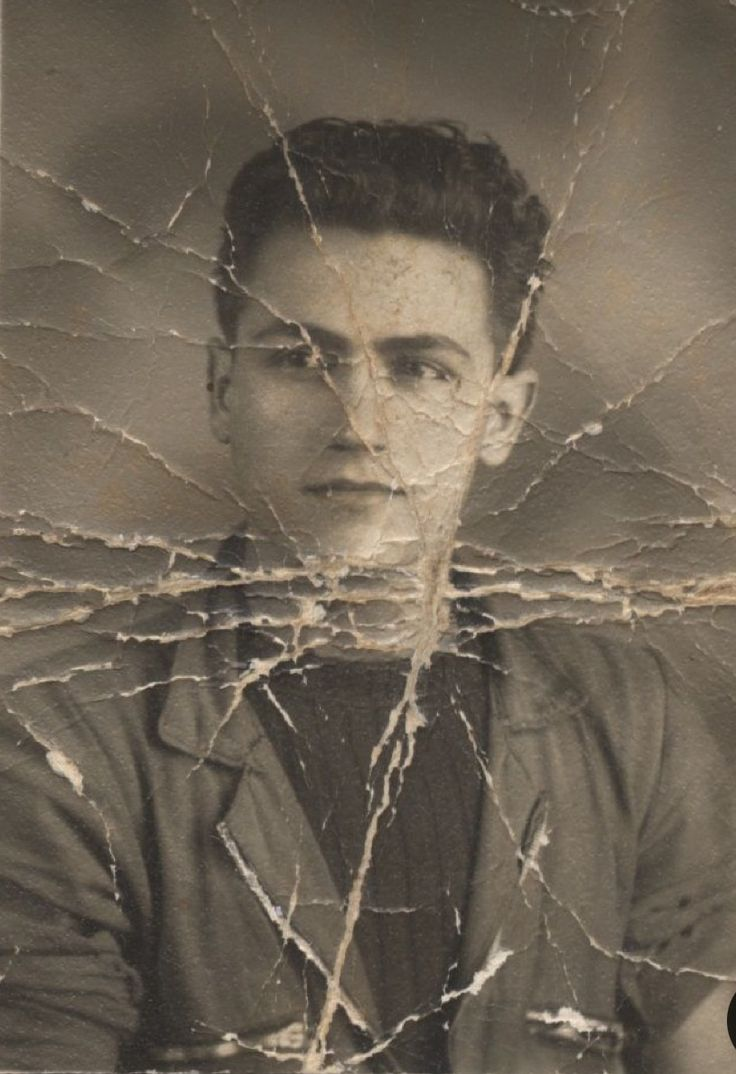
When performing image-to-image operations, it is critical to balance editing changes with structural preservation.
Our featured template, Image Restoration and Enhancement, shows how to instruct the AI to rebuild a damaged photo while maintaining the original subject's exact identity.
Before
After
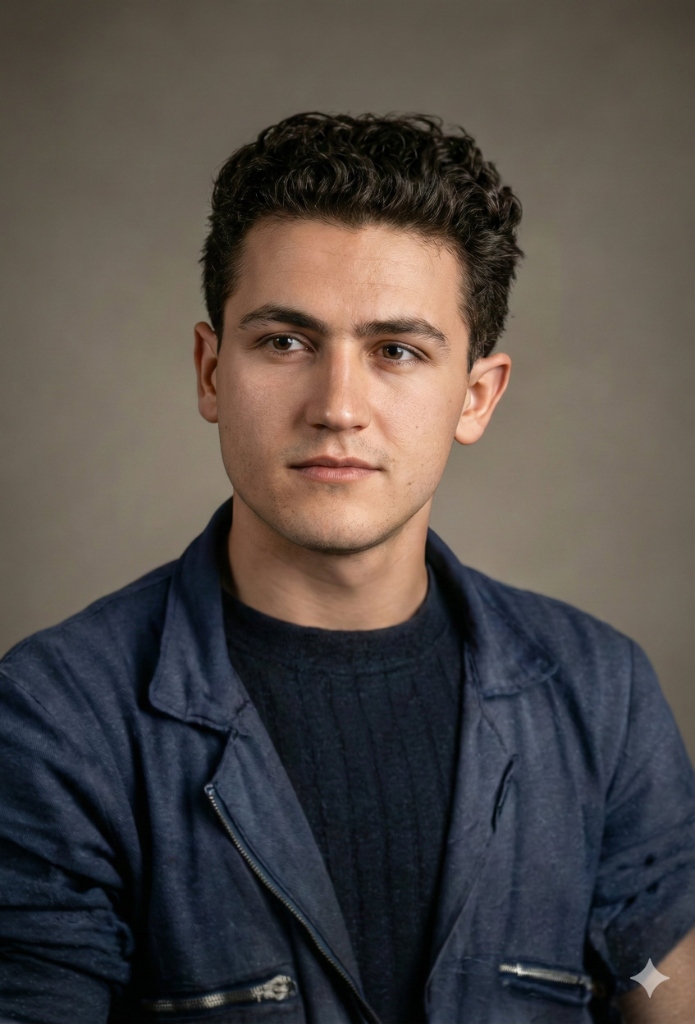
Rather than starting from scratch, utilizing a specialized image-to-image configuration helps maintain the integrity of faces while applying modern HDR grading.
Example 2: Instagram Feed & Ad Generation
For modern marketing, visual cohesion is key. Generating multiple images for an advertisement campaign requires a prompt that defines a unified aesthetic styling across varied backdrops.
Our Instagram Feed Generation with Aesthetic Cohesion template is built specifically for product advertisement campaigns.
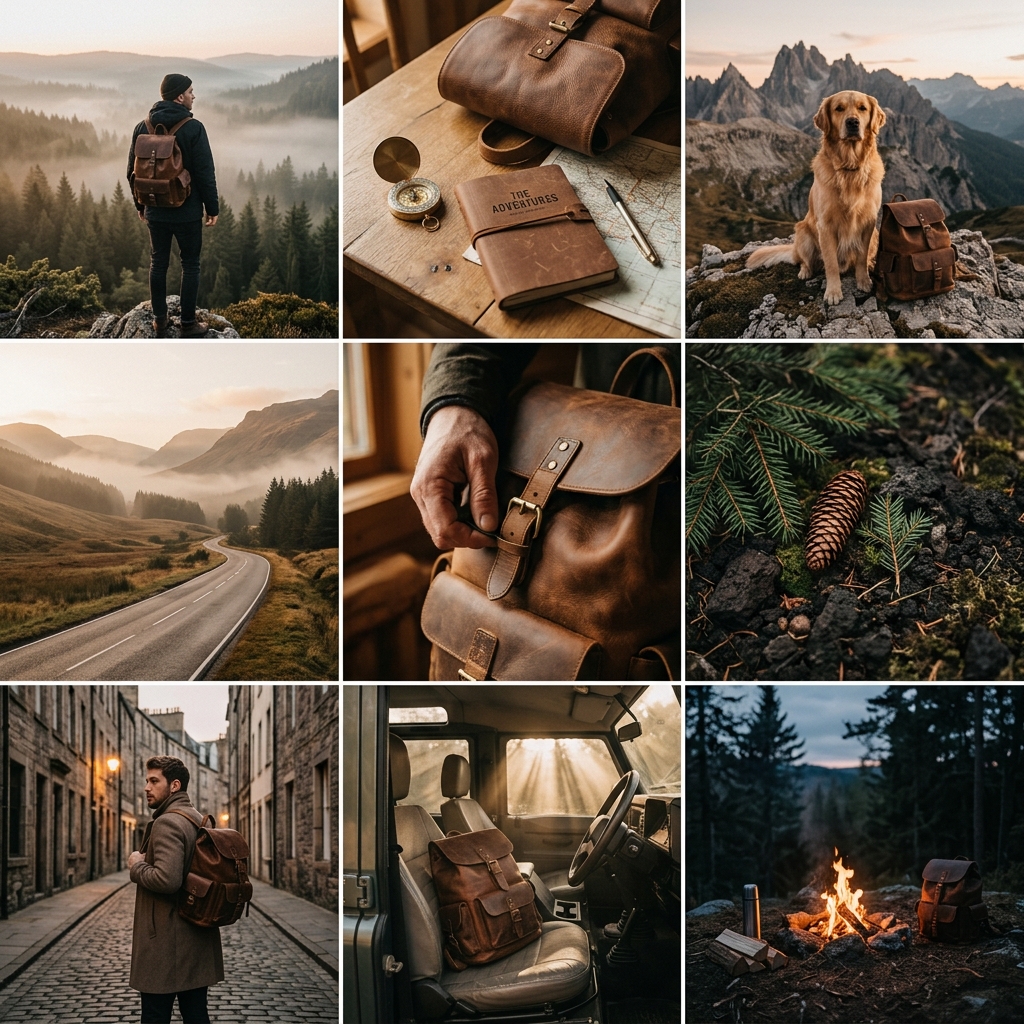
This template allows creators to render the same product in multiple environments, angles, and lighting setups while enforcing a consistent color palette and brand mood.
Direct Launch Integration: One-Click Testing
When you find a template you like in our directory, you do not need to manually copy and paste the text into other windows.
Every prompt detail page features a quick action button (such as Open in ChatGPT, Open in Gemini, or Open in Claude). Clicking this button opens your preferred AI chat interface directly with the prompt automatically loaded and ready to execute, saving you time and streamlining your workflow.
Writing Prompts for Specific Engines
Different AI platforms interpret prompts in different ways:
1. Prompt ChatGPT (DALL-E 3)
When writing a chatgpt prompt for portraits, describe the human attributes and clothing style using natural language. Since DALL-E 3 expands prompts behind the scenes, keep the mood and core layout clear to prevent automatic over-embellishment.
2. Prompt for Gemini AI (Google AI)
For a gemini prompt or gemini photo prompt, focus on technical photographer terms. The image engine in gemini google is exceptionally strong at matching texture details, so adding specifications like "ISO 100, full-frame camera, f/1.8 aperture" creates highly convincing renders without a plastic sheen.
Master Your Prompts Grid Collection
Ready to start generating?
- Head over to the AI Prompts Gallery to browse pre-tested, high-performing templates.
- Filter by categories on the Home Page to find specialized prompts for logos, architectural designs, and web layouts.