Sculpting in Pixels: How to Prompt Pixar-Style 3D Collectibles and Toy Models
Sculpting in Pixels: How to Prompt Pixar-Style 3D Collectibles and Toy Models
Welcome to Prompts Grid, your ultimate source for professional generative AI guidance. The demand for stylized 3D graphics has skyrocketed, especially in game development, marketing, and modern product design. Creating a cute, high-end designer toy no longer requires weeks of manual clay sculpting or complex 3D rendering pipelines. With modern image generators like Midjourney and Flux, you can generate studio-quality 3D character designs in minutes.
However, achieving that premium "designer toy photography" aesthetic requires more than just typing "Pixar style." Vague descriptions often result in flat lighting, plastic-looking textures, or messy backgrounds.
In this tutorial, we will break down the precise formula for writing an AI toy design prompt, explore key materials and lighting modifiers, and showcase real-world examples directly from our interactive prompts gallery.
The 3D Figurine Prompting Formula
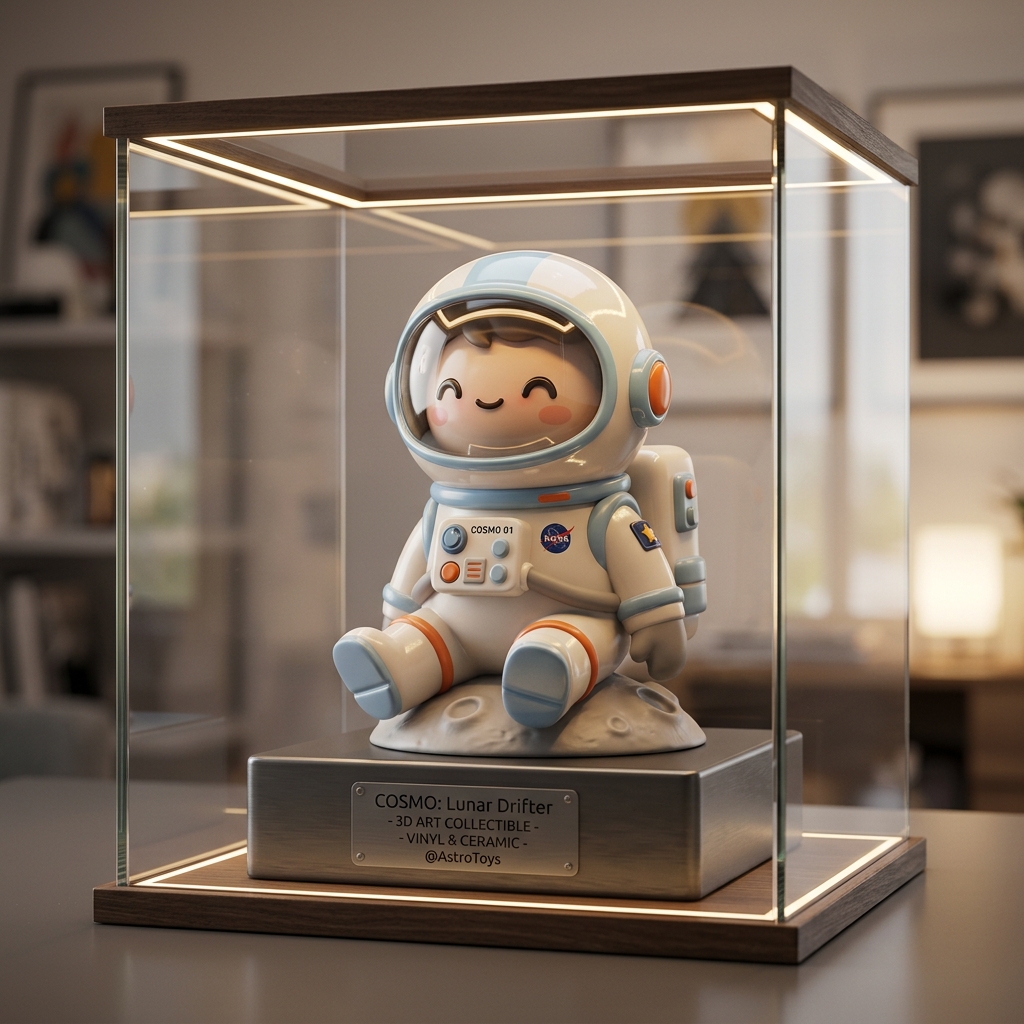
To generate a premium custom collectible figurine AI asset, your prompt needs to combine the subject with tactile toy details and professional studio staging. A robust prompt structure contains the following five elements:
- The Core Subject: Define the character, pose, and expression (e.g., a miniature astronaut sitting cross-legged).
- Tactile Toy Finish: Specify the physical materials to give it a tangible, high-end feel. Keywords like glossy vinyl, smooth ceramic finish, polished plastic, and lacquered wood work wonders.
- Pixar-Style 3D Render Cues: Use rendering terms to guide the AI's rendering style (e.g., Pixar-style 3D render, stylized proportions, chubby shapes, exaggerated facial features).
- Studio Lighting & Atmosphere: Frame the scene like a physical product shoot on a table (e.g., warm ambient studio lighting, soft key light, gentle shadows).
- Camera Settings: Use macro and product photography terms (e.g., shallow depth of field, blurred background, designer toy photography, shot on 85mm lens).
Real-World Examples from the Prompts Grid Gallery
Let's look at how these principles are applied to three battle-tested templates from our directory.
1. Stylized 3D Collectible Figurine
Creating a toy inspired by a real-world figure or occupation requires a balance between stylized features and recognizable gear.
Our Stylized 3D Collectible Figurine template demonstrates how to structure a scene featuring a stylized star in a cozy gaming environment. It blends a glossy toy finish with intricate gaming peripherals (like an RGB keyboard and tiny headphones) set against a warm, neon-lit background.

This setup is ideal for custom avatars, marketing mascots, or specialized collectible designs.
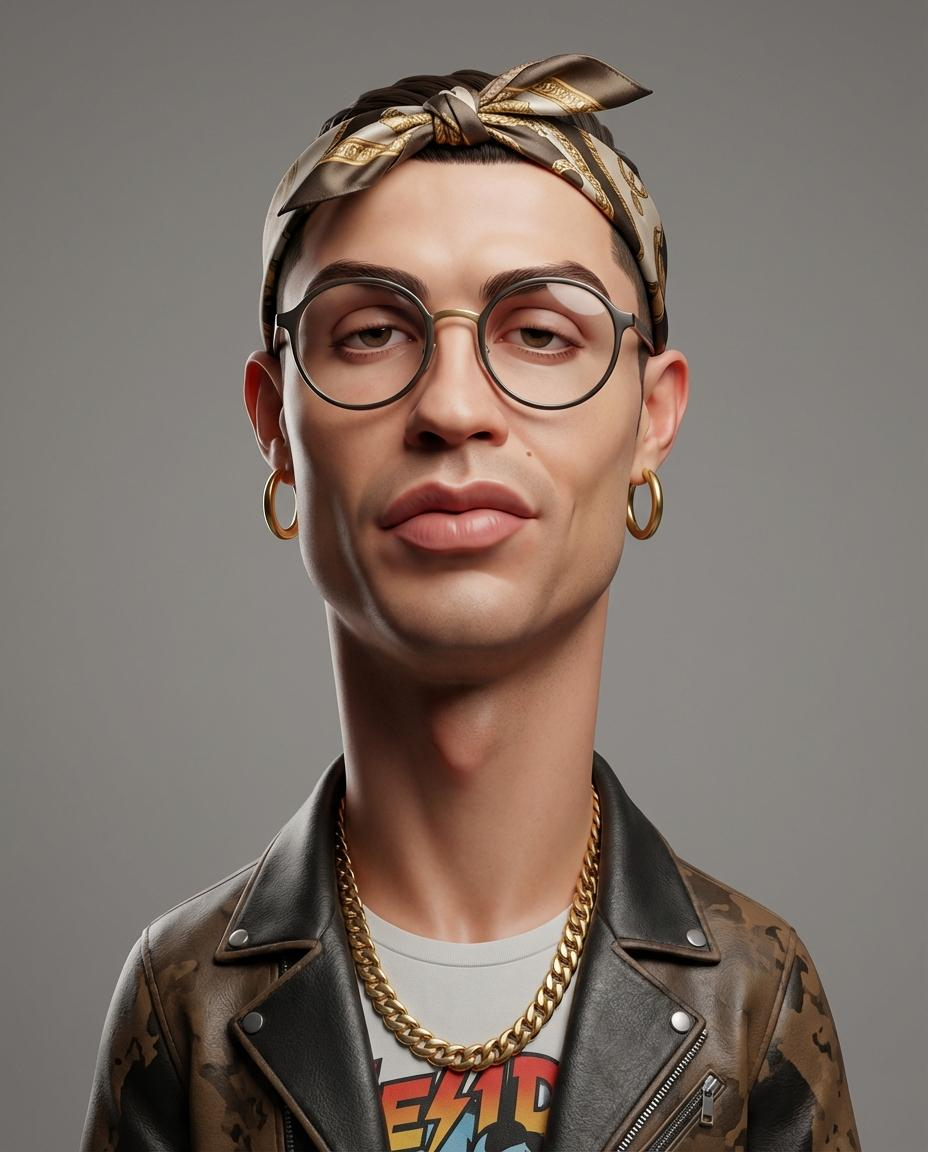
2. Stylized 3D Caricature Portrait
If you want a more artistic, avant-garde toy look, exaggerating physical features while maintaining character identity is key.
Our Stylized 3D Caricature Portrait template showcases how to deform facial structures (such as creating an oversized head or an elongated neck) while utilizing clean, matte skin textures and professional studio lighting. The resulting aesthetic looks like a high-end designer toy from a luxury fashion collaboration.
3. Game-Ready 3D Model Assets
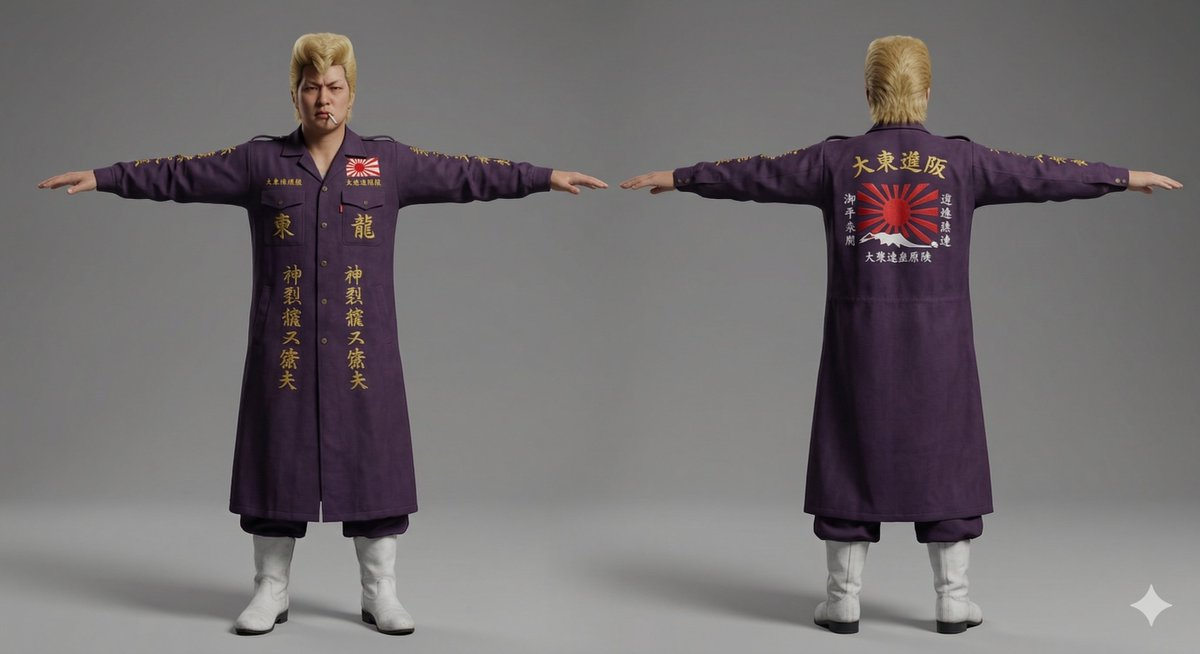
For game developers and digital artists, rendering characters on a plain background is essential for concept art and modeling references.
Our Classic Japanese Bosozoku as a 3D Model Asset template shows how to format a prompt to render a character in a clean, isolated setup. By referencing "3D model asset" style, the AI generates a model showing clear outfit detailing and clothing textures, making it easy for modelers to replicate.
Explore More Styles on Prompts Grid
Creating stunning 3D collectibles is just the beginning.
- Visit the main Prompts Grid Gallery to search and filter through hundreds of verified templates.
- Browse tags like 3d-render and character-design to find inspiration for your next project.
- Use our interactive interface to customize arguments and launch your prompts directly in your favorite AI image generator.